> ## Documentation Index
> Fetch the complete documentation index at: https://docs.automq.com/llms.txt
> Use this file to discover all available pages before exploring further.
# 静态数据加密
> Secure your data with AutoMQ's at-rest encryption, offering transparent protection for applications in cloud environments while maintaining Kafka compatibility.
AutoMQ 支持应用数据静态加密功能,数据加密对用户的应用是完全透明,基于云厂商存储服务提供。本文档介绍如何配置静态数据加密。
## 工作原理
AutoMQ BYOC 服务中,数据存储主要分为两类。
* **对象存储:** 对象存储服务用于存储消息数据、系统日志和 Metrics 等数据。
* **块存储:** 块存储服务用于存储 Kafka KRaft、实例、账号等控制面元数据。
两类存储服务均采用云厂商提供的透明数据加密功能实现静态数据加密。因此仅需在创建 BYOC 控制台以及创建实例时开启静态数据加密即可实现透明加密。
关于云存储如何实现透明加密,可参考:
* [https://docs.aws.amazon.com/AmazonS3/latest/userguide/UsingEncryption.html](https://docs.aws.amazon.com/AmazonS3/latest/userguide/UsingEncryption.html)
* [https://docs.aws.amazon.com/ebs/latest/userguide/ebs-encryption.html](https://docs.aws.amazon.com/ebs/latest/userguide/ebs-encryption.html)
**使用限制:**
AutoMQ BYOC 服务存储加密的秘钥使用云厂商托管秘钥,不支持 BYOK 客户自定义密钥。
数据加密功能仅支持 AWS。如有需求,通过 [获取人工服务▸](/zh/automq-cloud/support/obtaining-services) 联系我们。
## 配置说明
用户开启全链路静态数据加密,可参考以下步骤,分别需要在创建 BYOC 环境控制台以及创建实例时开启,不支持对已有环境控制台、已有实例做变更。
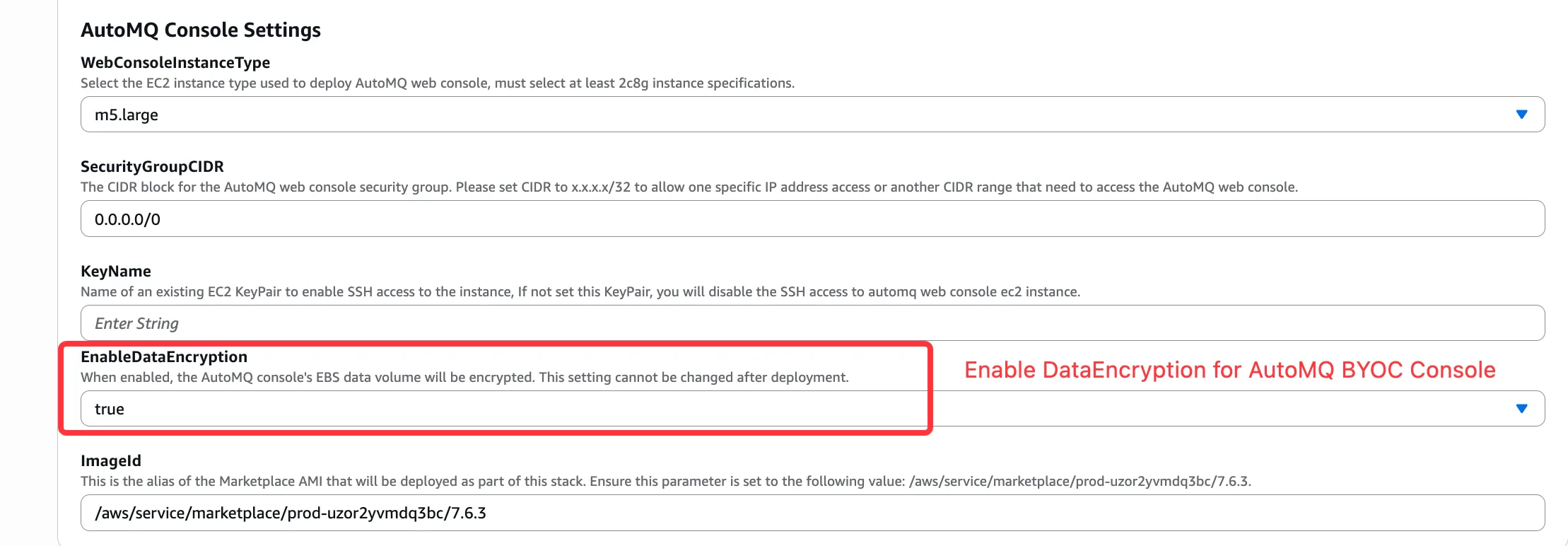
1. 创建 BYOC 控制台时,**开启 DataEncryption 选项** 。
 1. 创建实例时,点击高级选项,**开启 DataEncryption** 。
