

Operation Principle
In AutoMQ’s BYOC service, data storage is primarily divided into two categories:- Object Storage: This service is utilized for storing message data, system logs, metrics, and other data types.
- Block Storage: This service is employed for storing control plane metadata, such as Kafka KRaft, instances, and accounts.
- https://docs.aws.amazon.com/AmazonS3/latest/userguide/UsingEncryption.html
- https://docs.aws.amazon.com/ebs/latest/userguide/ebs-encryption.html
Configuration Instructions
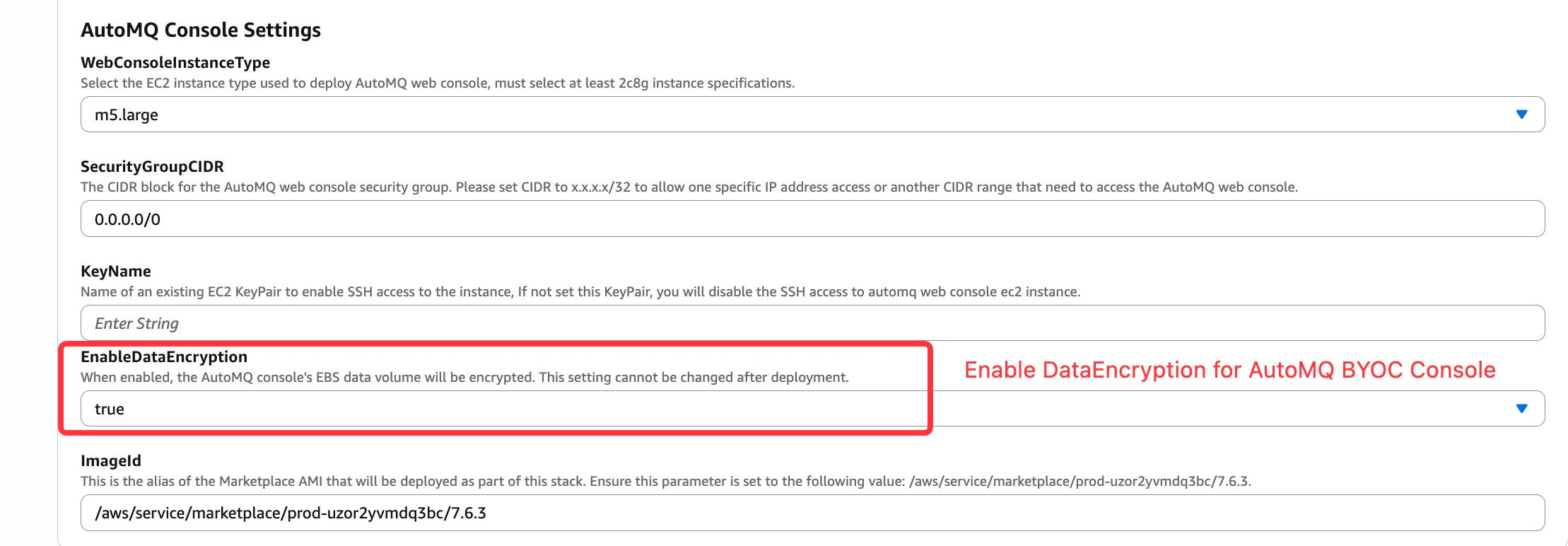
When enabling end-to-end static data encryption, follow the steps outlined below. It’s important to enable this feature both during the creation of a BYOC environment console and when setting up an instance. Making changes to existing environment consoles or instances is not supported.- When creating a BYOC console, enable the DataEncryption option.
- When creating an instance, click on advanced options and enable DataEncryption.
